How to Ape in to Unverified Contracts on Etherscan
Updated 2020-01-10
Earlier this week there was a Twitter thread about a degen who turned $800 into $1,000,000 in less than a year by "flipping shitcoins on Uniswap". One of the interesting comments he made was that he'd ape in to new contracts on Etherscan - sometimes before the team had even released a UI.
This has sparked a lot of conversations in Telegram groups: How exactly was he doing this? Below, I'll show you.
This tutorial is by dotta and you should follow me on Twitter if this sort of thing interests you
WARNING: Don't do this.
Honestly, please don't do this. The more people who ape into contracts without appropriate research only makes scamming more lucrative. You will completely lose your money a significant portion of the time, by both malice - and as we'll see - simply doing the wrong thing.
Using unverified contracts directly requires that you understand what the contracts are doing in the first place and it's easy enough to get yourself in a money-loss situation - even when the dev is honest.
Seriously, if you need a tutorial on how to do this, then you shouldn't do it. Just close this window and keep your money.
Unverified Set Dollar (UvSD)
In this tutorial, I'm going to be using an Empty Set Dollar clone as the example project. Let's imagine that you've got a hot tip that Unverified Set Dollar just launched an hour ago -- with minimal liquidity on Uniswap -- and they're looking for additional LPs.
But no UI has been released yet. The contract is live, and you could earn rewards - but there's no UI. What can you do?
In this tutorial, I'll show you how you can ape into Unverified Set Dollar - even if the team isn't ready for public launch yet.
Again, you shouldn't do this lol. Not only is it super risky but there are real chances the team has to enable flags to make it all work etc.
Using Contracts with No UI
The typical flow of interacting with a contract is this:
- You become aware of a project
- The Dev has built a UI
- You use the UI and give it access to your Metamask
- The UI + Metamask interacts with Ethereum
So it turns out you never strictly need the dev's UI. Devs just build the UI because it makes it easier to use, but you can basically always use Ethereum directly, and in-particular, Etherscan's methods.
Machine-code vs. Human-code
You've probably heard about the idea of verified contracts on Etherscan. Why is this necessary? Because when a developer uploads code to Ethereum, they upload a machine-readable version of the code -- it's super hard even for skilled developers to understand what this machine-code is doing.
So instead, developers upload their human-readable code to Etherscan and Etherscan verifies that it matches.
This is the typical path for how you're able to ever interact with contracts on Etherscan directly.
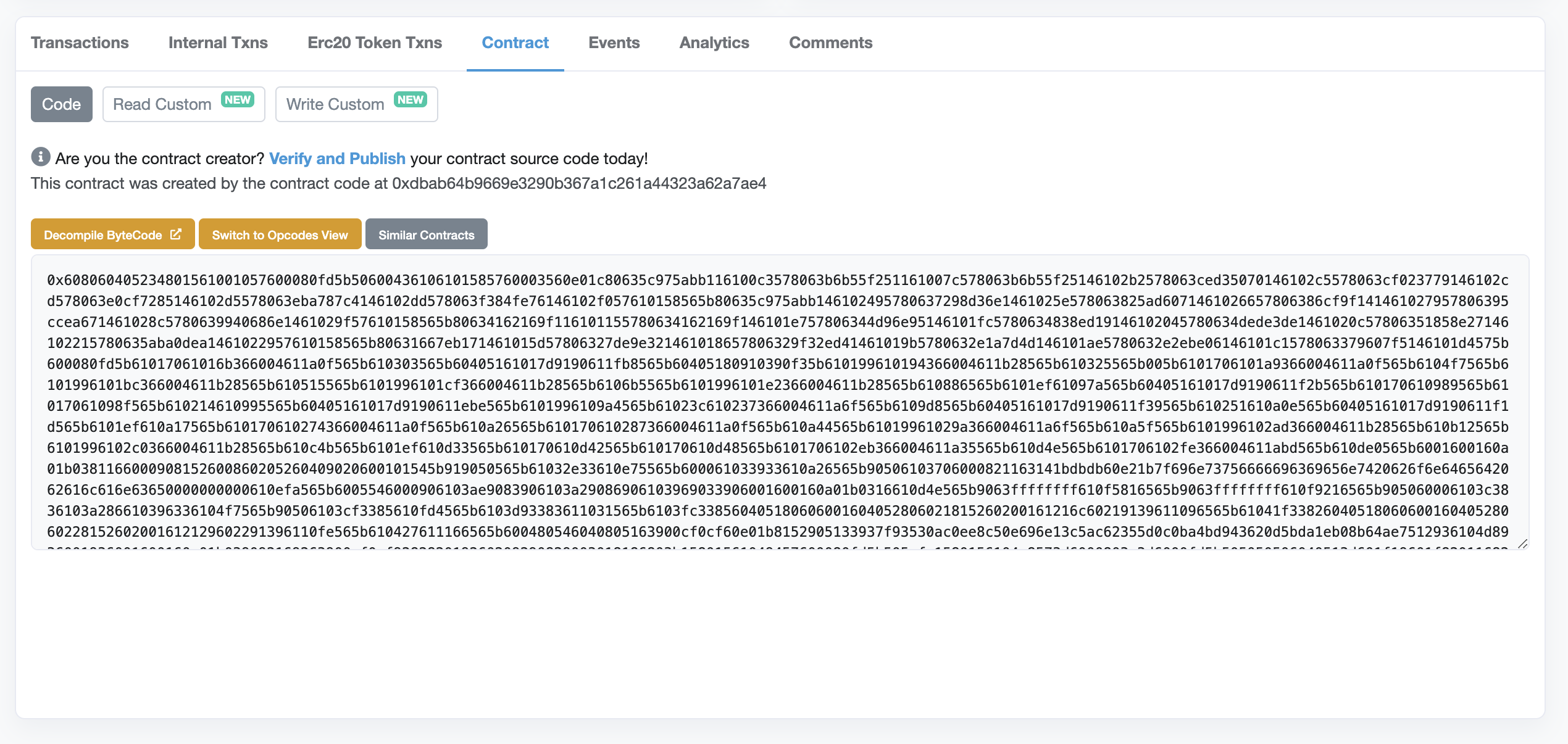
But we're super early into UvSD and we're greeted with an Etherscan that looks like this:
The devs haven't even verified the contracts! What can we do?
The key idea to this process is that you can use a "Custom ABI" in Etherscan.
The ABI provides the definition for what you can do with a smart contract. If you can tell Etherscan "hey, I know that this is how this contract works", then Etherscan will be able to craft the appropriate transaction for you.
So let's walk through an example.
Bonding LP for Rewards in UvSD
In this example, we're going to bond LP rewards into the UvSD rewards contract. For the sake of example, let's say the pool rewards for UvSD/DAI. This has a lot of steps!
We have to do the following, for which a UI already exists in Uniswap:
- Acquire UvSD on Uniswap
- Add liquidity (with equal value UvSD and DAI)
Now we have UvSD-DAI UniV2 LP tokens in our wallet. So far, so good.
But now we need to stake our LP tokens into a rewards pool that has no UI. And in Set Dollar Coins, there's a staging area before we can bond. Here's a list of the steps, and we'll go into more detail below:
- To the Uniswap Pair contract that we approve the Rewards Pool contract to spend our LP tokens
- Deposit our LP tokens into the Rewards Pool
- Bond our deposit (on the Rewards Pool)
That means we're going to be interacting with two different contracts on Etherscan:
- The Uniswap Pair contract and
- The Rewards Pool contract
Approving the Rewards Pool on Uniswap
If you're unfamiliar, every new pair in Uniswap has it's own contract. That's why the pair has it's own hash which you use e.g. on Uniswap.info -- every pair is a separate contract.
We need to tell this contract we approve the Rewards Pool taking our LP tokens.
So what you need to do is:
Find the Uniswap Pair address and open it in Etherscan
Click on "Contract" and then "Read contract"
Check your balance of how many LP tokens you have by using the
balanceOfsection and putting your address into that address field
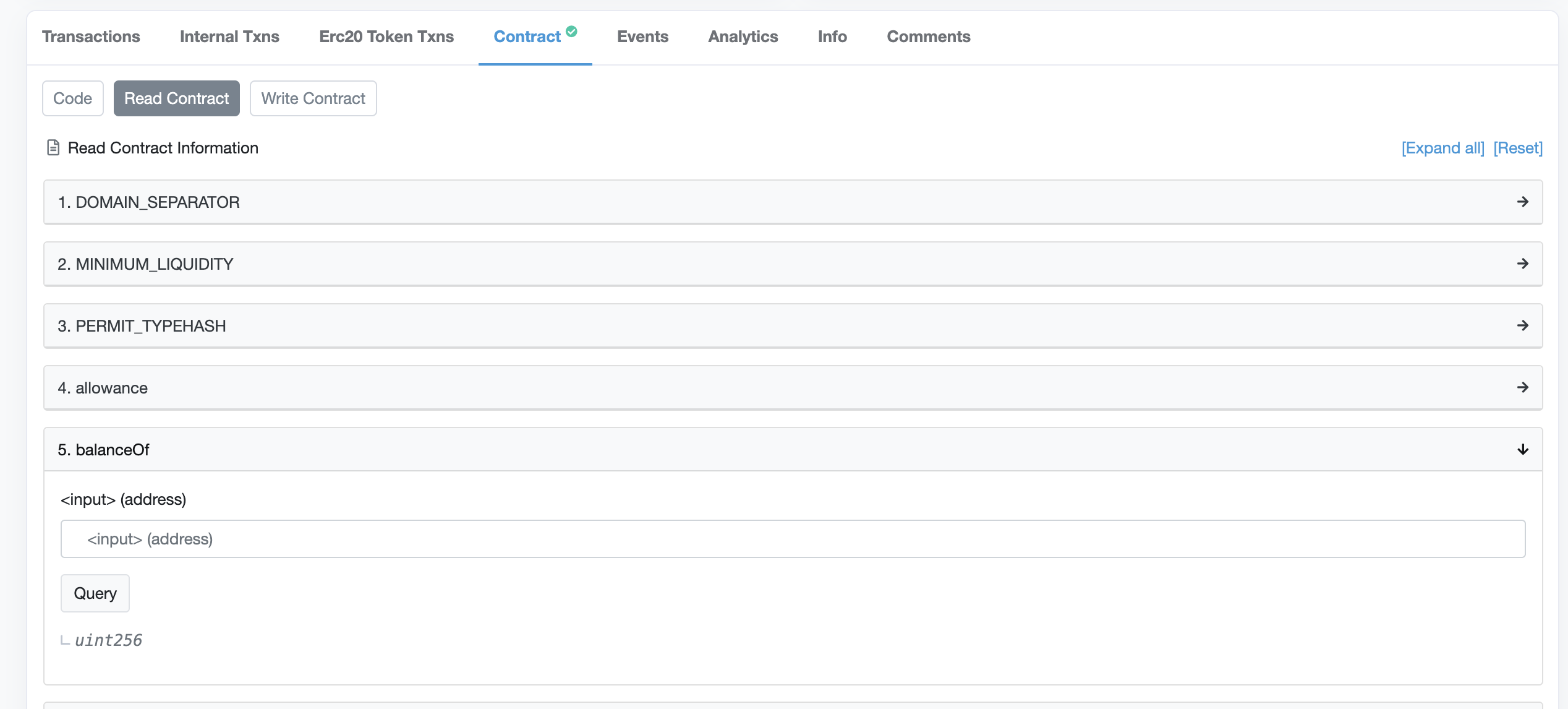
Note that you can read the contract all day without making any Metamask transactions. This is a great way to verify your assumptions about what you think is true about the state of the contracts.
When you get results on your balance of LP tokens, it's going to be an unfamiliar number and not clearly the number of tokens you used to LP earlier.
Then click on "Write contract"
Then click "Connect to Web3" - this will connect to your Metamask
Click "Approve" and there are two values: a) "spender address" and b) value
"Spender address" is the address of the Rewards Pool. Not your personal address. We're saying, "it's okay if the Rewards Pool moves our LP tokens, we trust them"
"Value" will be your balance of LP tokens from the previous step - you're saying that you approve this specific value of tokens.
Actually, you might want to set a way larger value if you plan on adding LP tokens later. But the question is, what number is big enough? Most ERC20 tokens have 18 decimals. Which means if you entered 1e18 you'd be approving 1 token. But we're talking about LP tokens here. I just put in a super large number like
1000000000000000000000000
Then click "write".
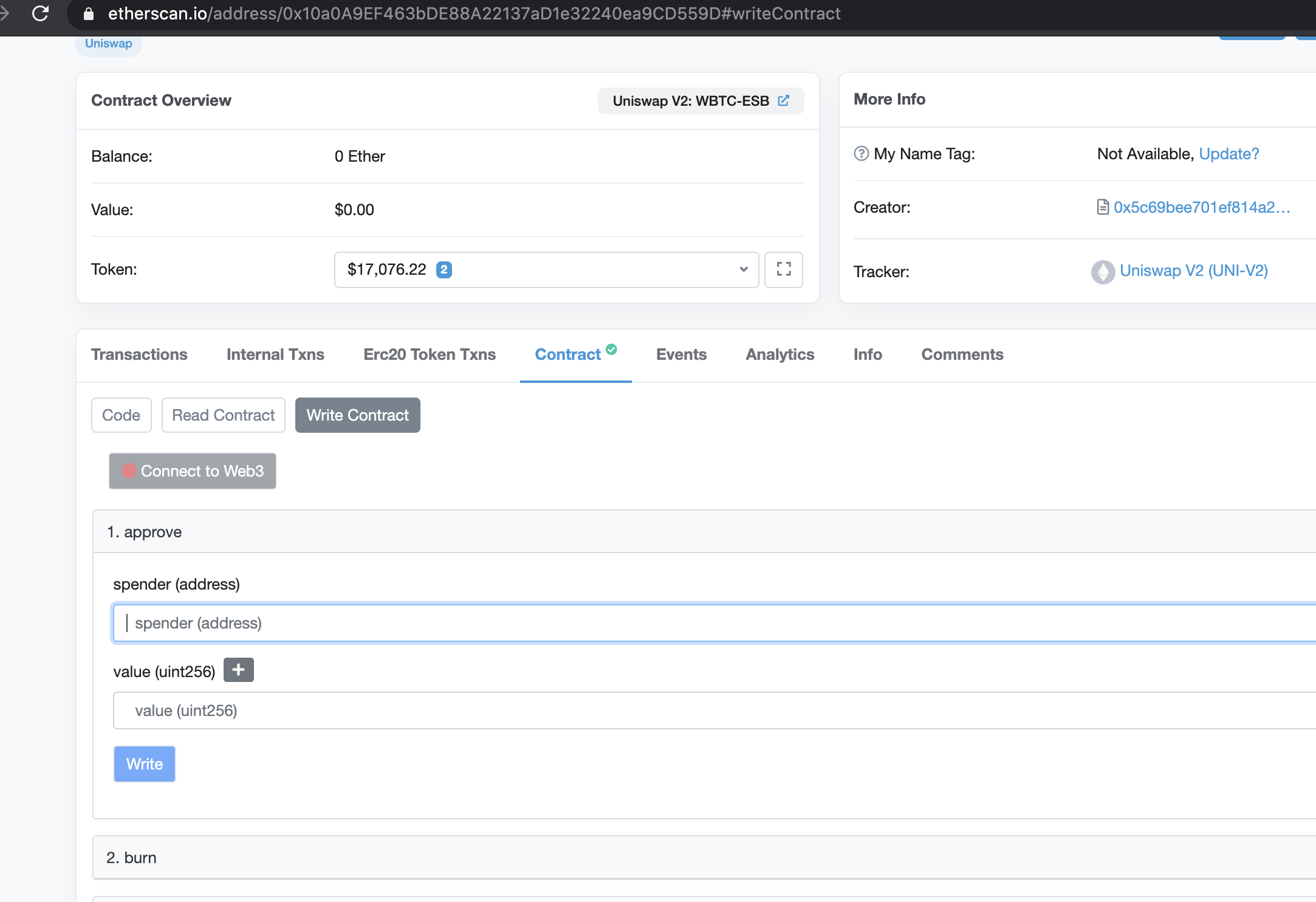
This will prompt you with Metamask which you shouldn't accept because you shouldn't be doing this anyway.
Now we need to make two more transactions with the Rewards Pool contract. But remember, unlike the Uniswap Pair contract, the Rewards Pool contract is unverified and Etherscan doesn't show the interface.
To do this, we have to enter a custom ABI.
Custom ABIs in Etherscan
First, you'll find "Custom ABI" in the menu on Etherscan:
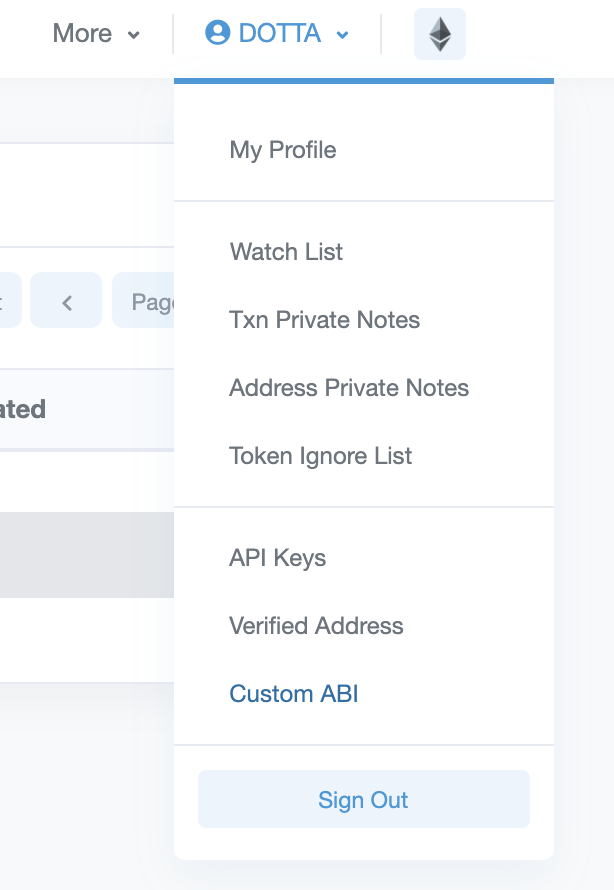
Next, you'll find a list of your custom ABIs:
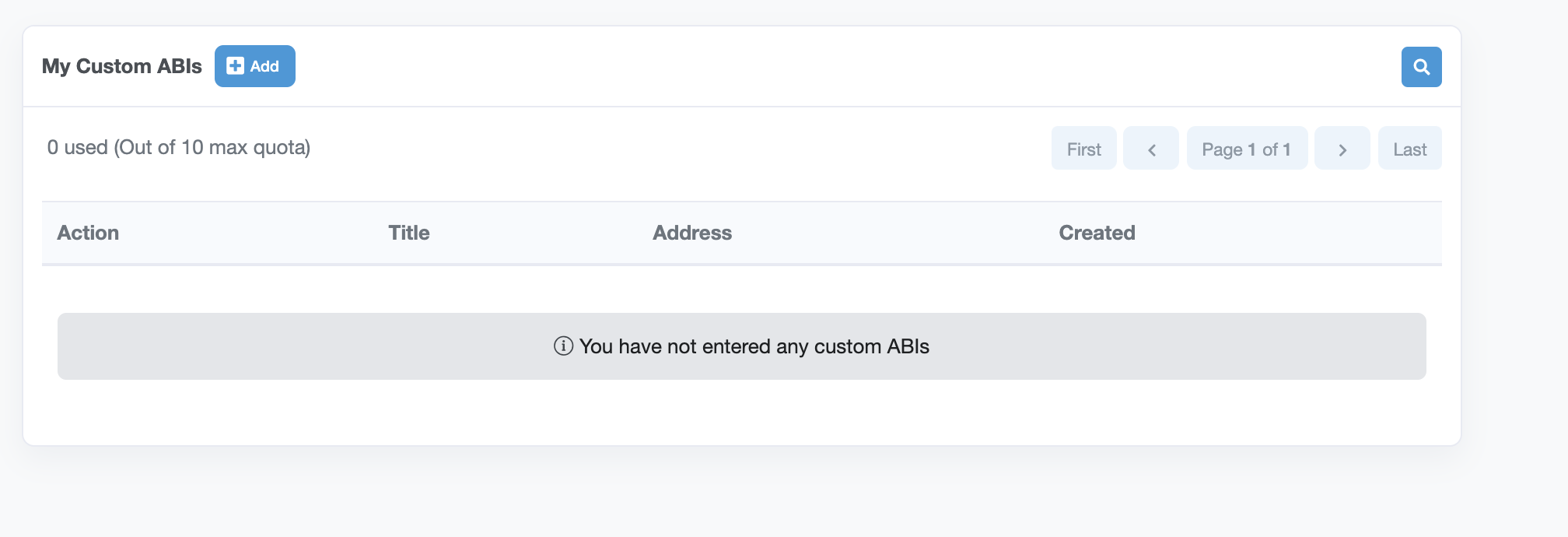
Where do I get the ABI?
There are two cases:
- From the team's Github (best option)
- From a similar project
If the team has published their code, you can typically find the ABI in their Github repo. For example, here's the ABI for the Rewards Pool of Empty Set Dollar.
TIP: The ABI will be a filename ending in
.json.
But sometimes the team hasn't published their code, or at least you don't know where it is. But you know that this is a fork of something else e.g. you know it's an ESD fork.
In that case you can usually re-use an existing ABI - typically forks keep the core ABI from the project they've forked from -- but of course, not always.
In this case, we're going to assume it's a clone of ESD, so we'll use the Pool.json from above. All you need to do is copy and paste this into Etherscan.
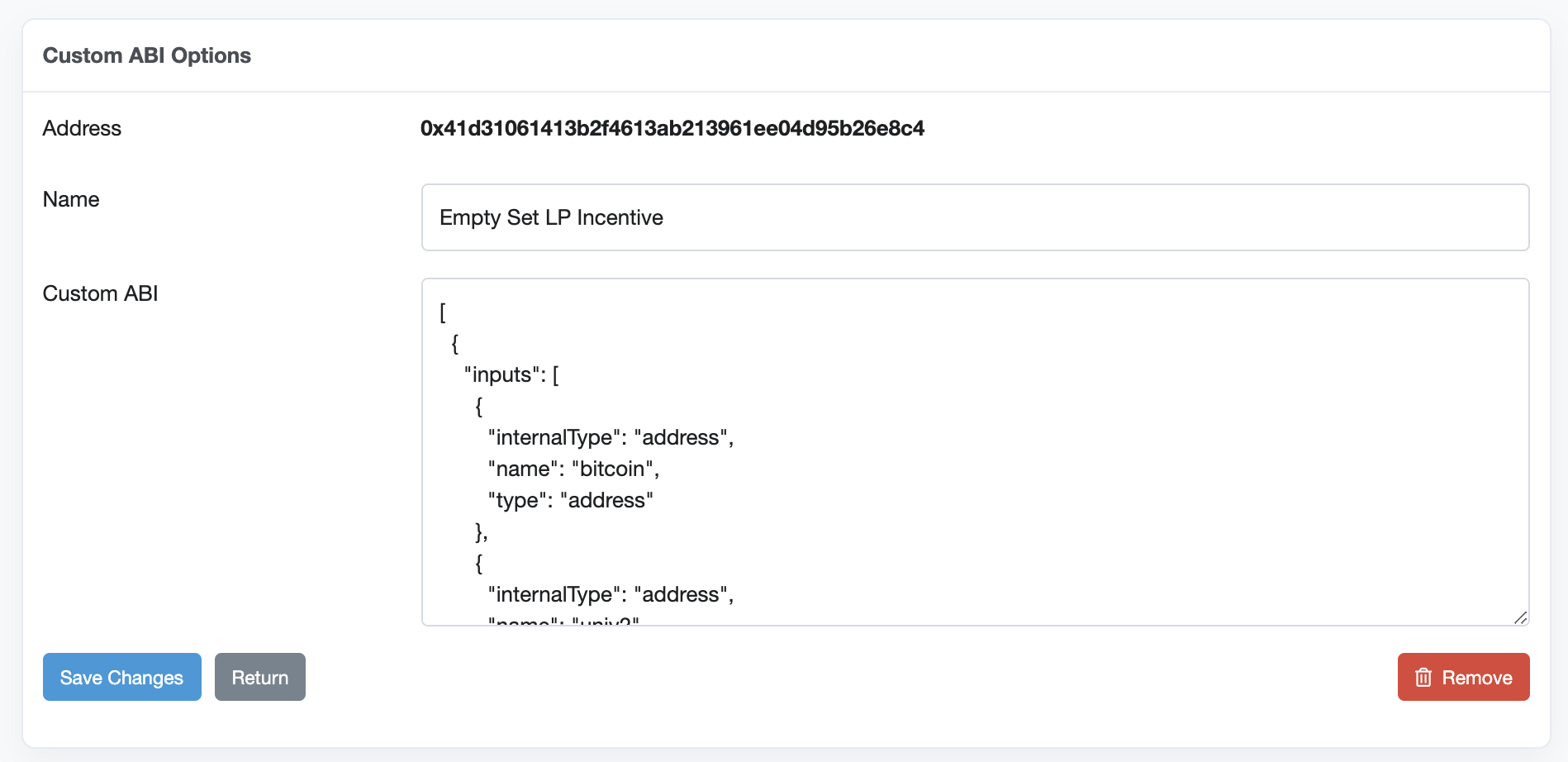
You'll paste the Rewards Pool address in the address field, because we're associating the two. We're saying, this address is described by this ABI.
Now if you go back to the Rewards Pool contract, you'll see two new buttons: "Custom Read" and "Custom Write".
Deposit our LP tokens into the Rewards Pool
Anon, you're reaching the point of no return. Instead send your ETH to Coinbase and withdraw the funds and take your girl on an incredibly nice date.
Now, visit the Rewards Pool contract page and you can see under "Custom Write" that you can use deposit. Enter the value of your balance of LP tokens (which we found previously above).
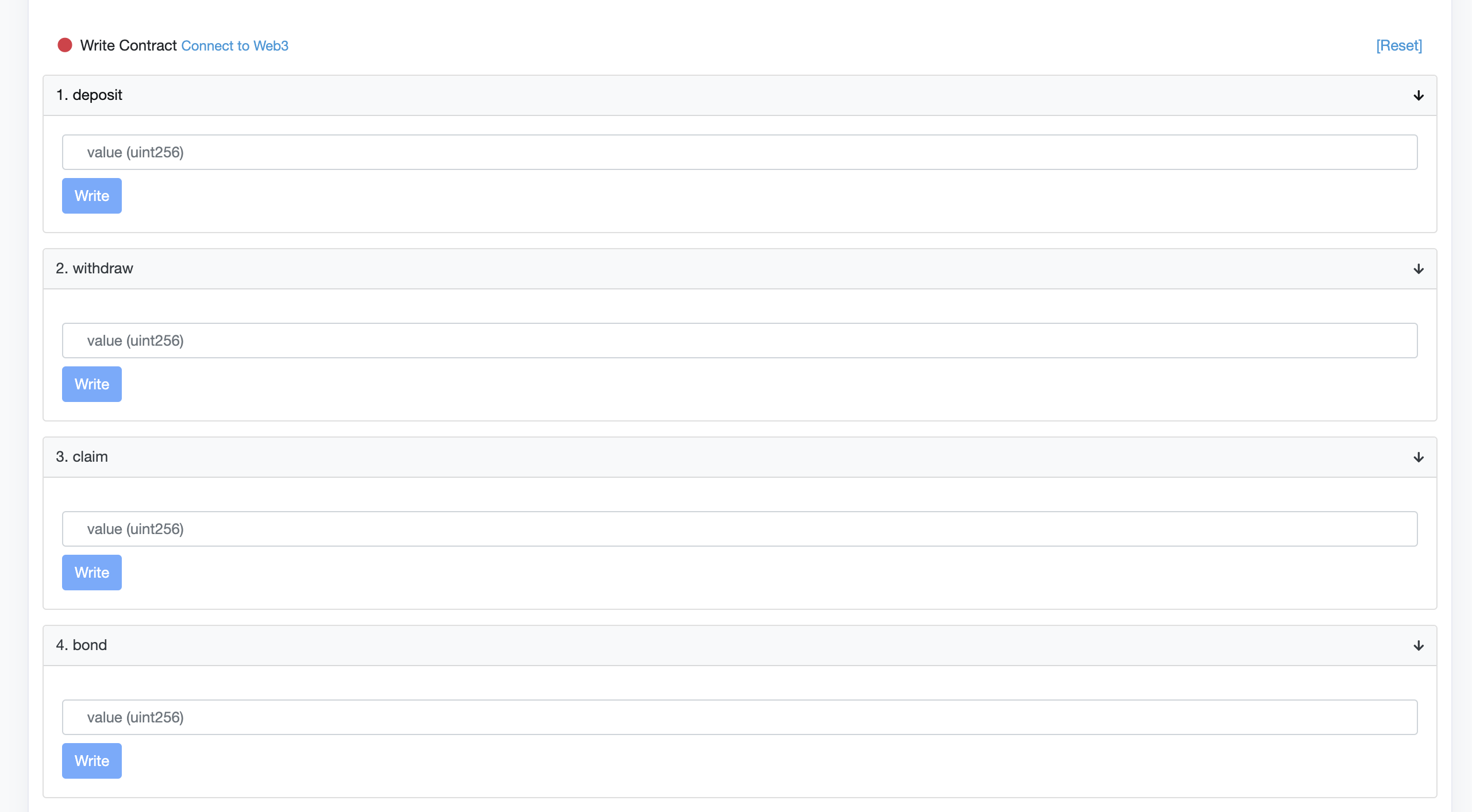
Click "Write" and you'll submit another Metamask transaction.
After it finishes, you can confirm that you have, in fact, staged your LP by reading the contract under balanceOfStaged:
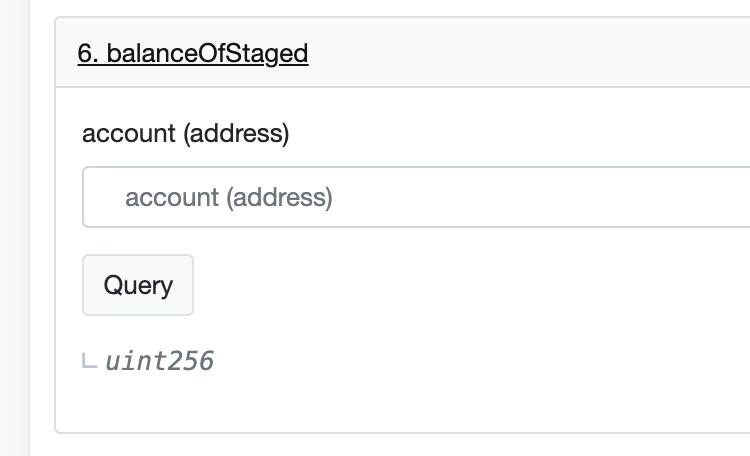
Bond our deposit on the Rewards Pool
Lastly, we move our tokens from staging to actually bonding them. For this, use bond:
Again, click "write" and when it's done you'll confirm the amount with balanceOfBonded.
And there you go! You're officially earning mega-rewards in what is probably a rug.
Tips
Q: What if I don't know what methods to use?
A: Then you shouldn't be doing this! To figure it out, I'll typically read the code of the original project to find out what methods they're calling. But you can be wrong and lose your funds or at best waste gas figuring it out.
Summary
If you found this useful, then would you share this with others? Also, give us a follow
If you have a comment or suggestion, lmk on Twitter.